LIMITED TIME: 10% off VoIP Unlimited (Home), Virtual Voice for 3 months, new customers onlySee the deal →
Running a business? Switch to our business VoIPVirtual Voice Office BUSINESS →
Get set up

Download the Virtual Voice app

One app for your calls on iPhone, Android, Windows and Mac, plus a Chrome click-to-dial extension. Sign in once and every device shares the same line.

Before you sign in: it can take up to an hour for your login details to become active from the time we send them to you. If the app says your details are wrong straight away, please give it a little time and try again. Still stuck after an hour? Get in touch and we'll sort it.

Install the app on any device below, then sign in with the email and password we sent you. You can use the same login on as many devices as you like, calls ring on all of them.

iOS
iPhone & iPad
App Store
Android
Phone & tablet
Google Play
Mac
macOS desktop
Mac App Store
Chrome extension
Click-to-dial
Chrome Web Store
Our support team may need to set this up with you, so please contact support for help. Contact support
See how to set it up
Windows PC
Windows 10/11
Download (.msi)

What the app looks like

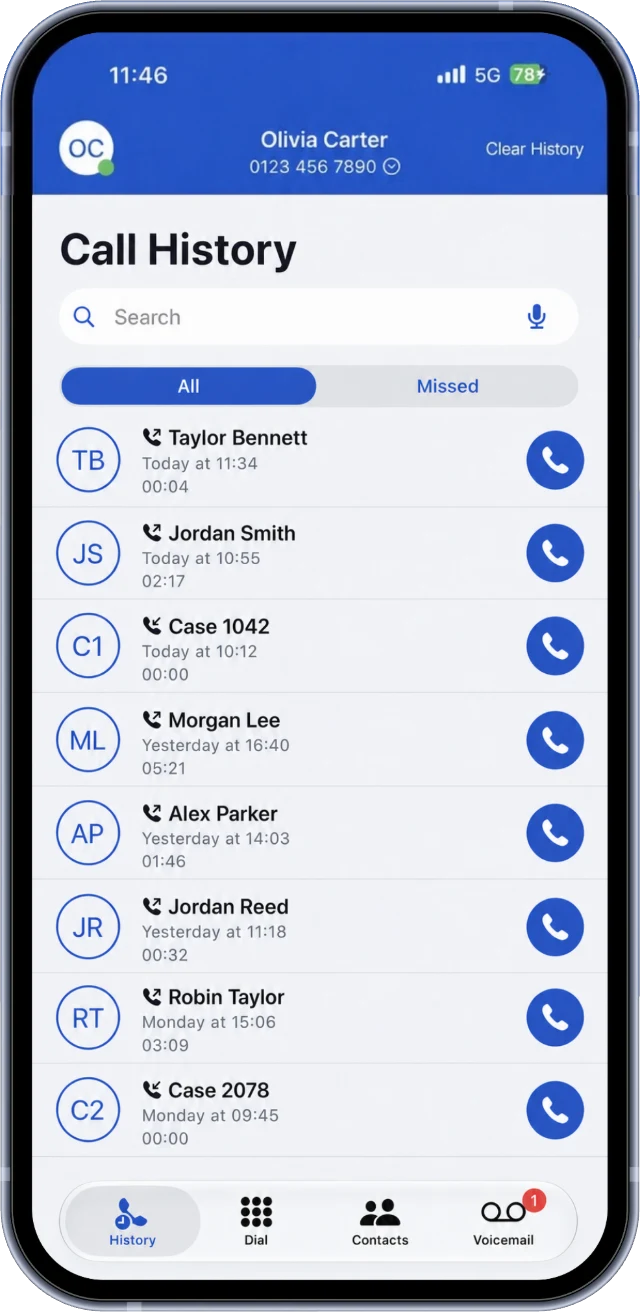
The Your VoIP app call history, with all and missed calls and a call back button on each one
Every call in one list
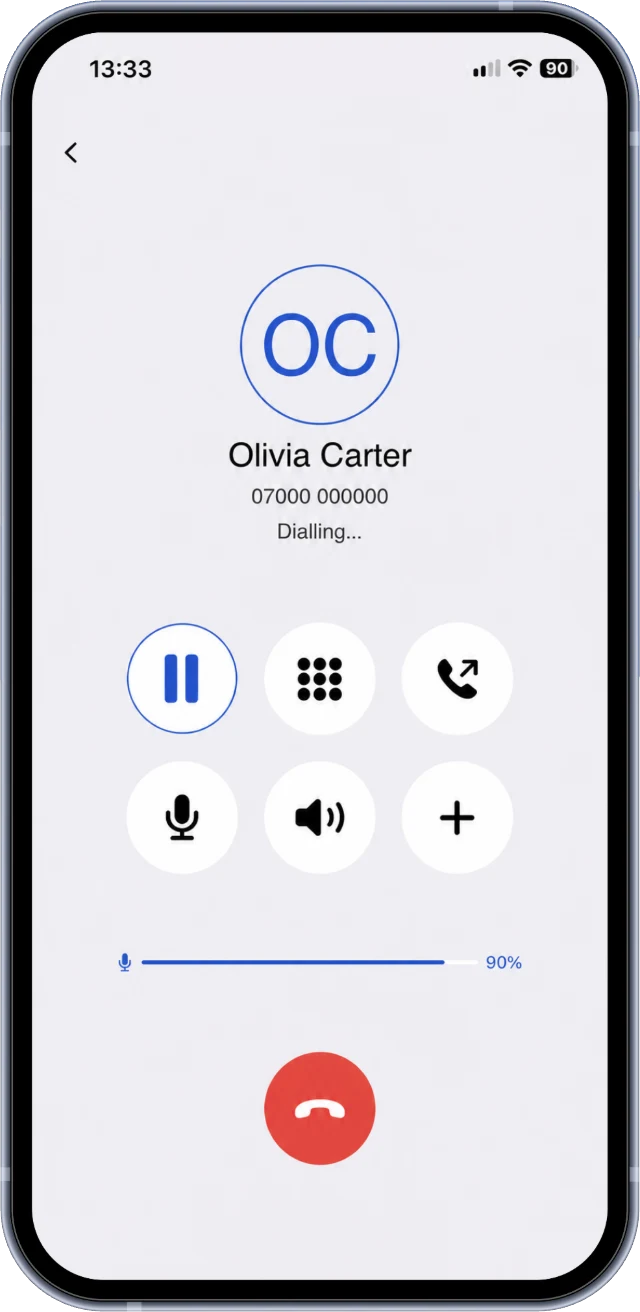
A call in progress in the Your VoIP app, with hold, keypad, mute, speaker and hang up buttons
Mute, hold, keypad and speaker
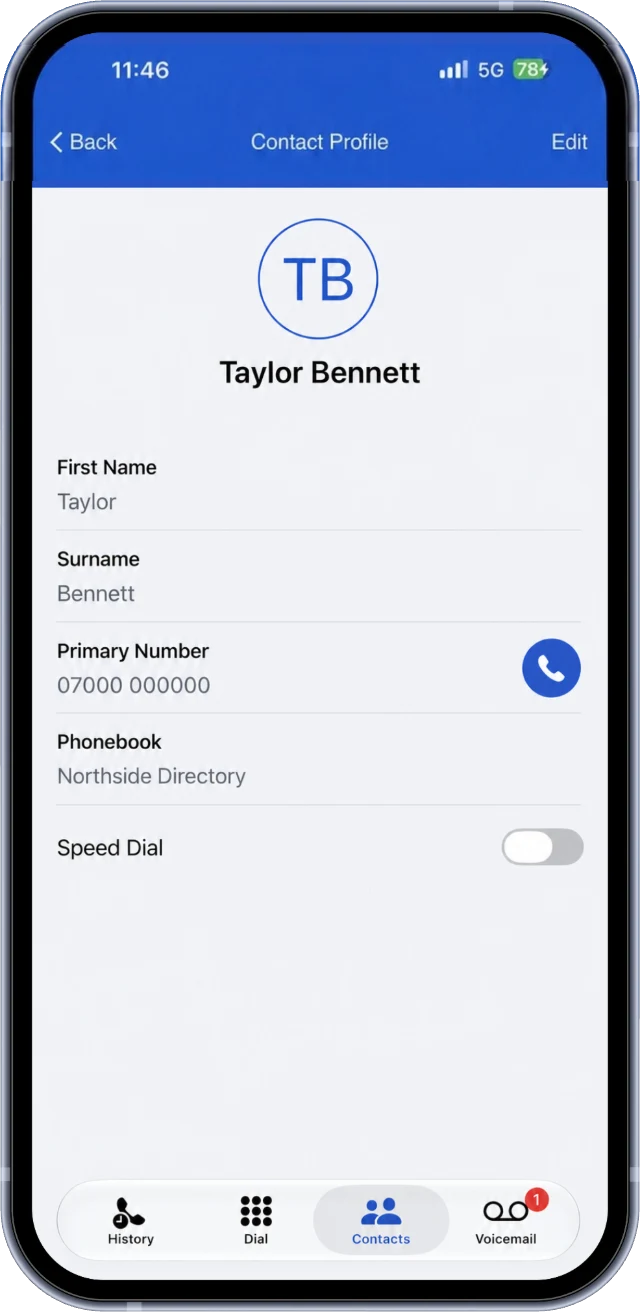
A contact in the Your VoIP app, with their number and a call button
Your contacts, one tap to call
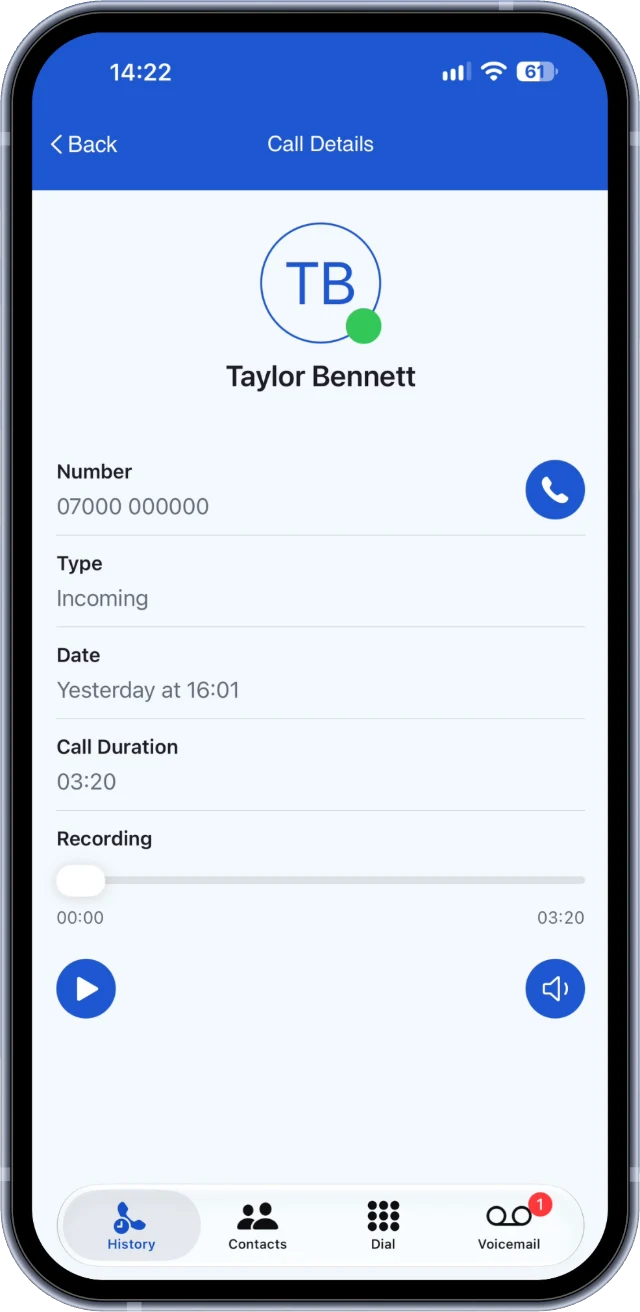
A recorded call in the Your VoIP app, with a play button and the recording timeline
Play call recordings in the app

Example screens from the Your VoIP app for iPhone, with made up names and numbers. Call recording is included on VoIP 250, VoIP Unlimited, Office Pro and Office Max.

More in the app
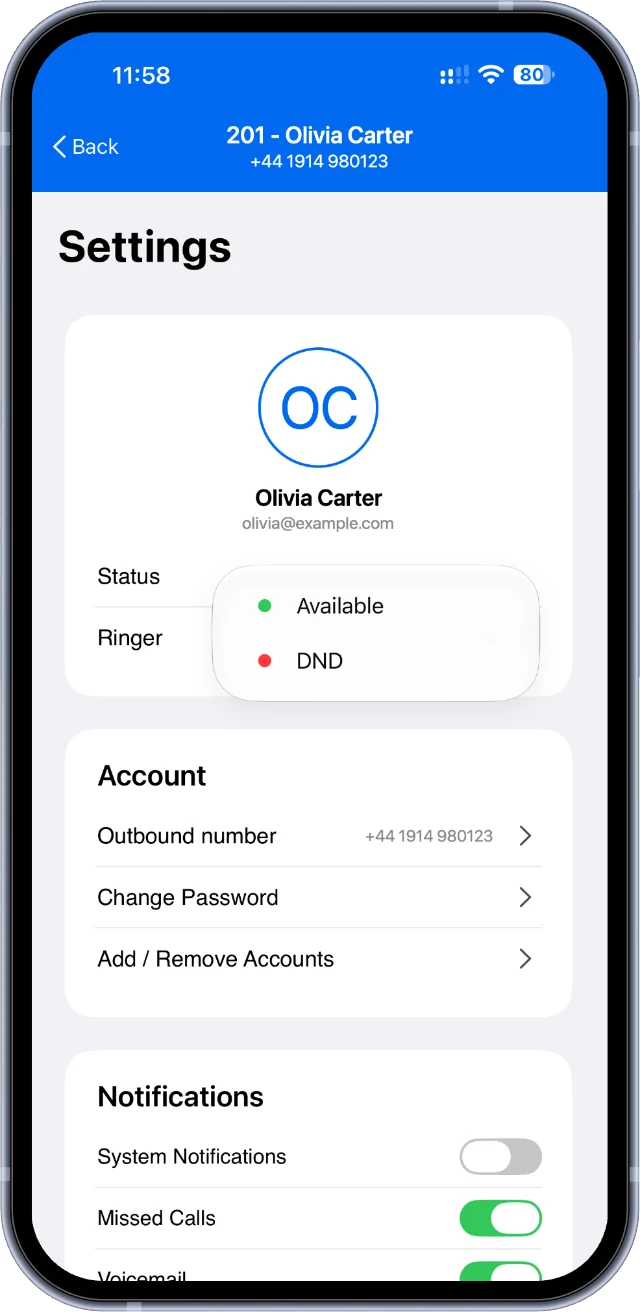
Choosing Available or DND in the Your VoIP app settings
Available or Do Not Disturb
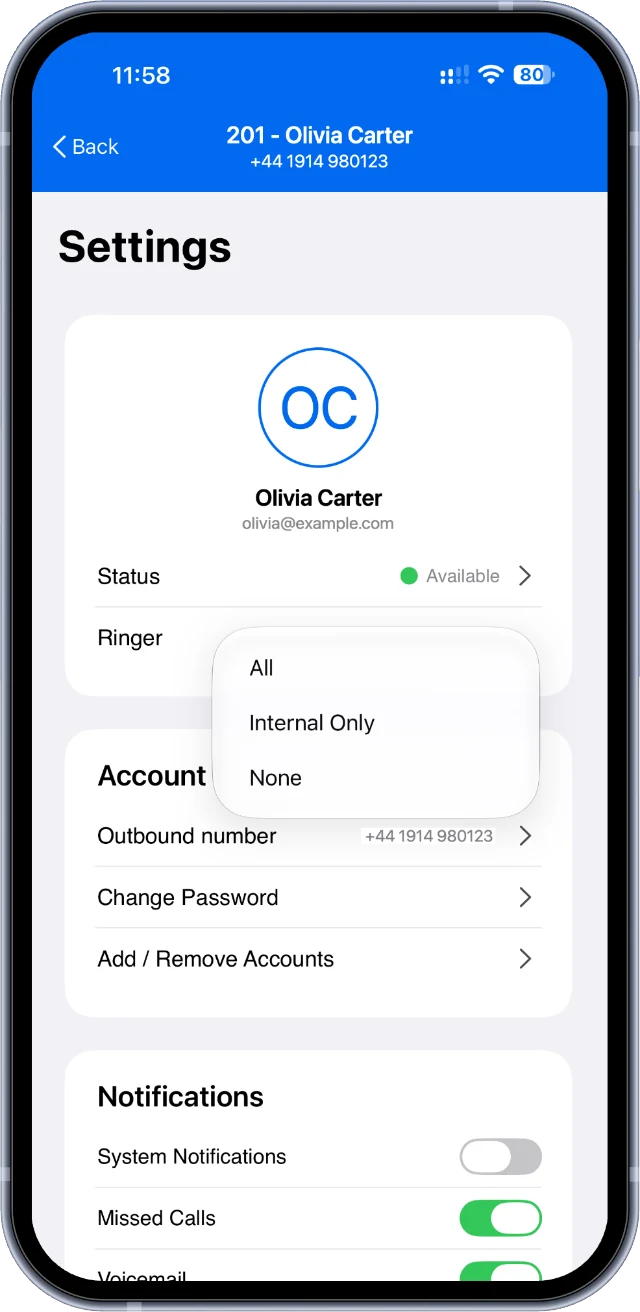
Setting the ringer to All, Internal Only or None in the Your VoIP app
Choose which calls ring you
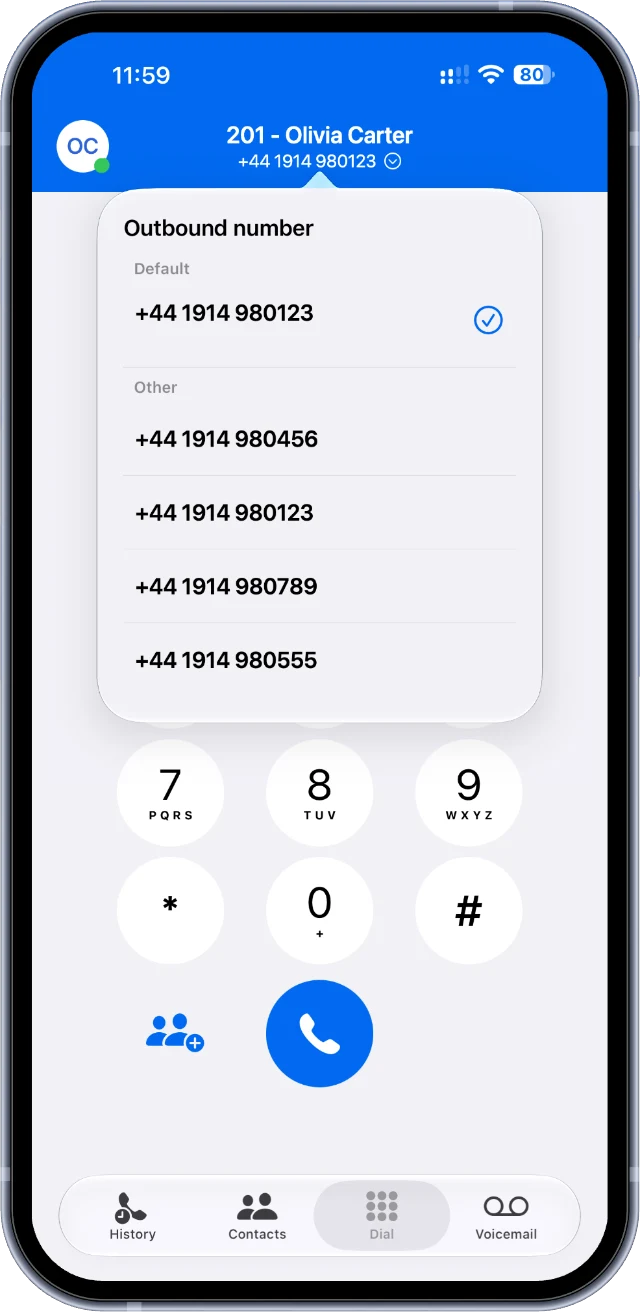
The Outbound number list in the Your VoIP app, with the default number ticked
Pick the number people see
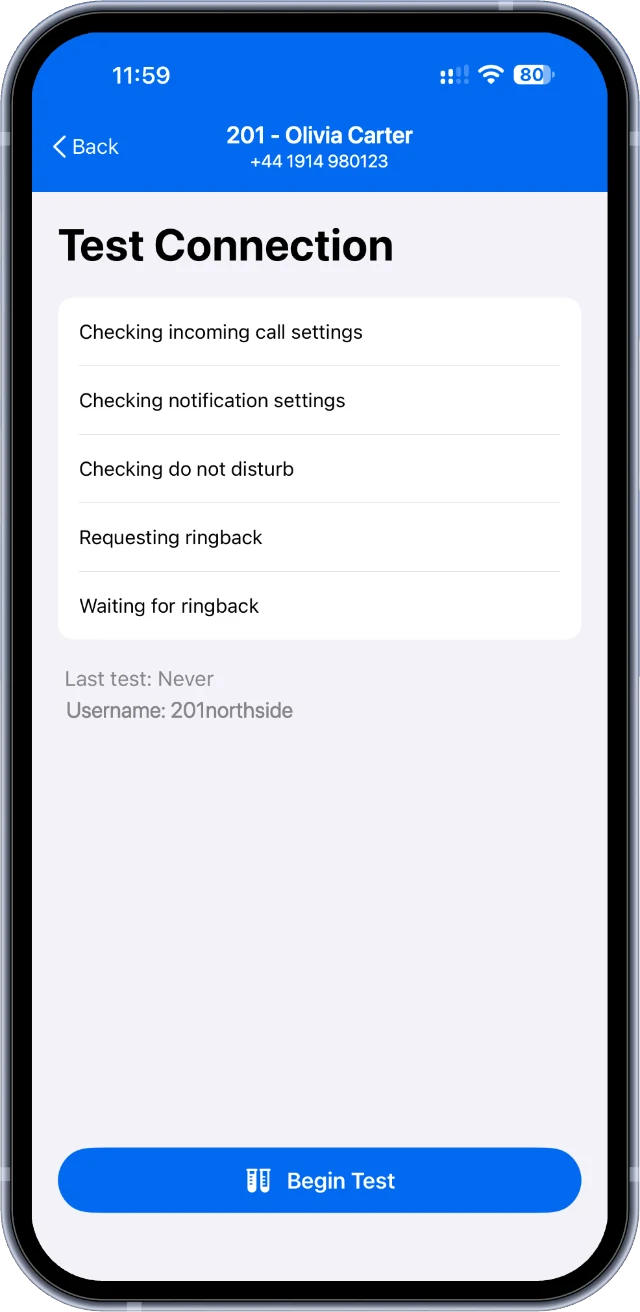
The connection test in the Your VoIP app, with its five checks and a Begin Test button
Check your connection in one tap

Example screens with made up names and numbers. Picking the number people see needs more than one number on your account.

Need a hand?

Call us on 0191 543 3488 or email support@virtualvoice.uk and we'll get you up and running. Lines are open Mon to Fri 8am to 5pm and Sat 9am to 12pm.

Hi! I'm Vee. Can I help you find the right plan today?